

How to set up FileZilla
How to set up FileZilla
Once you’ve downloaded and installed FileZilla, launch the program.
Navigate to File tab > Site Manager menu: 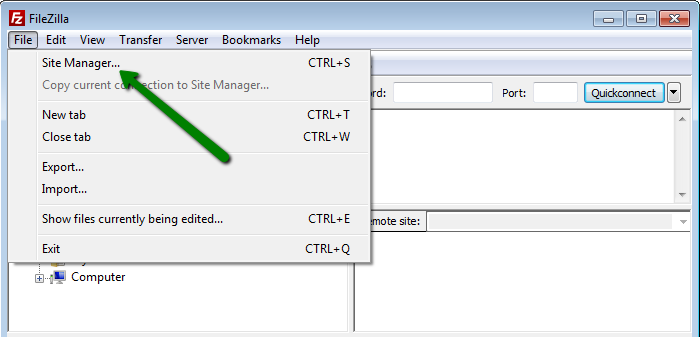
Click on New Site to configure the new connection: 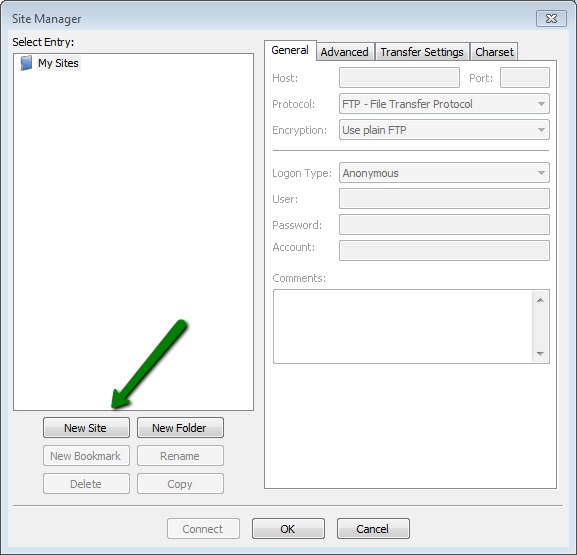
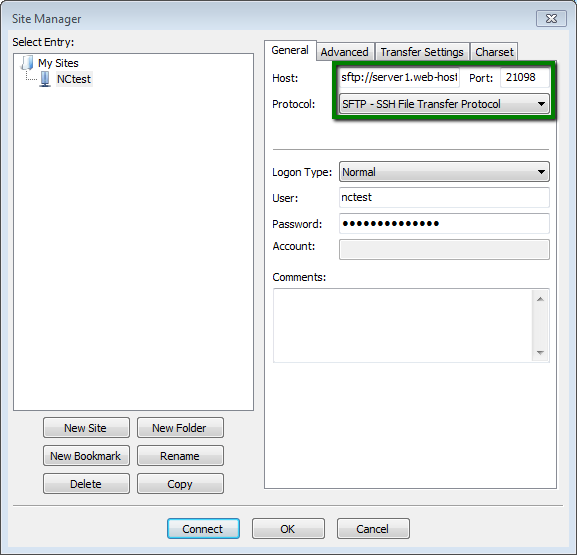
The recommended (FTP) settings are as follows:
Host: www.yourdomain.name
Port: 21
Protocol: FTP
Encryption: Only use plain FTP
Logon Type: Normal
User: your cPanel username
Password: your cPanel password