


How to check PHP version in cPanel
How to check PHP version and change PHP version in cPanel.
1. Log in to cPanel
Open your web browser and go to your cPanel login URL (cpanel.yourdomain.com).
Enter your cPanel username and password to log in.
2. Check PHP Version
Once you're logged in to cPanel, look for the "Software" section.
Click on "MultiPHP Manager"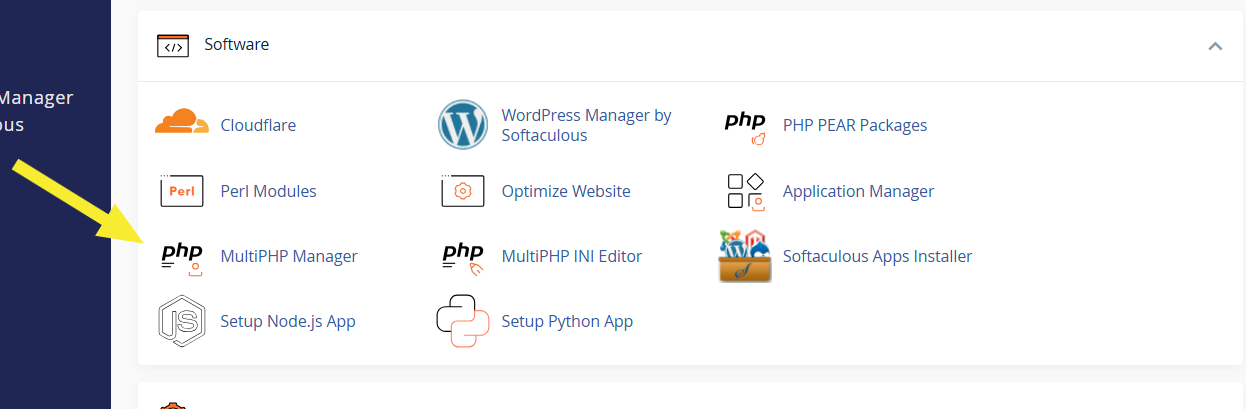
The page will display the currently active PHP version
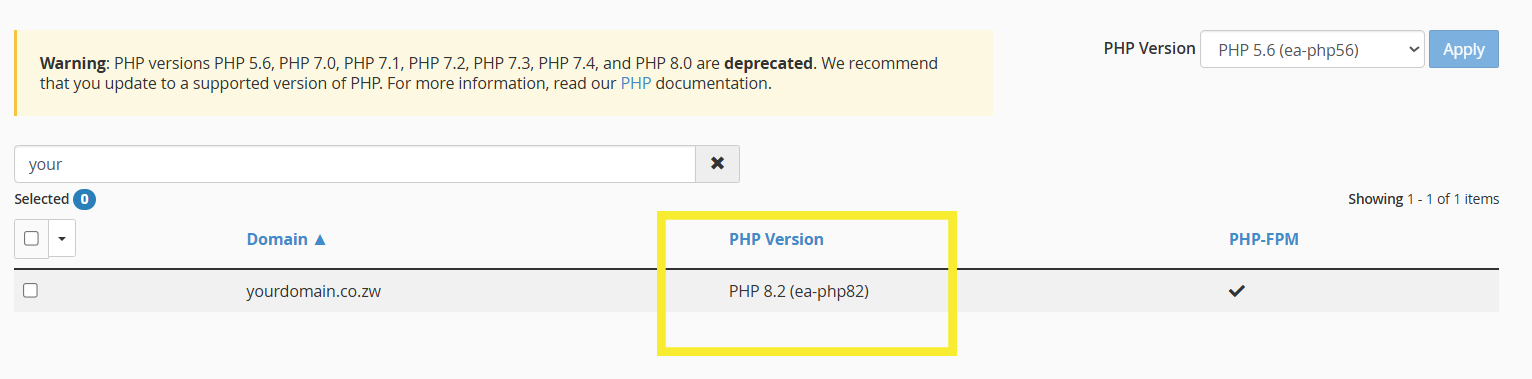
3. Modify PHP Version (Optional)
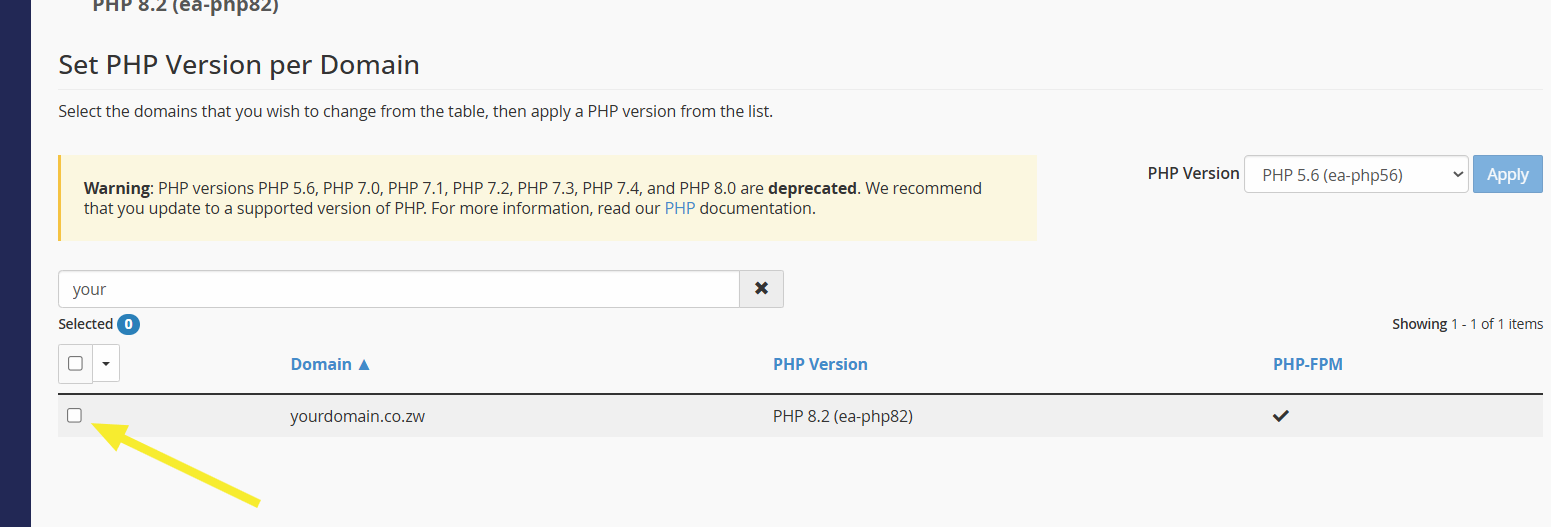
If you want to change the PHP version, select the domain you want to change the PHP version for:
Choose the desired PHP version from the dropdown and click "Apply".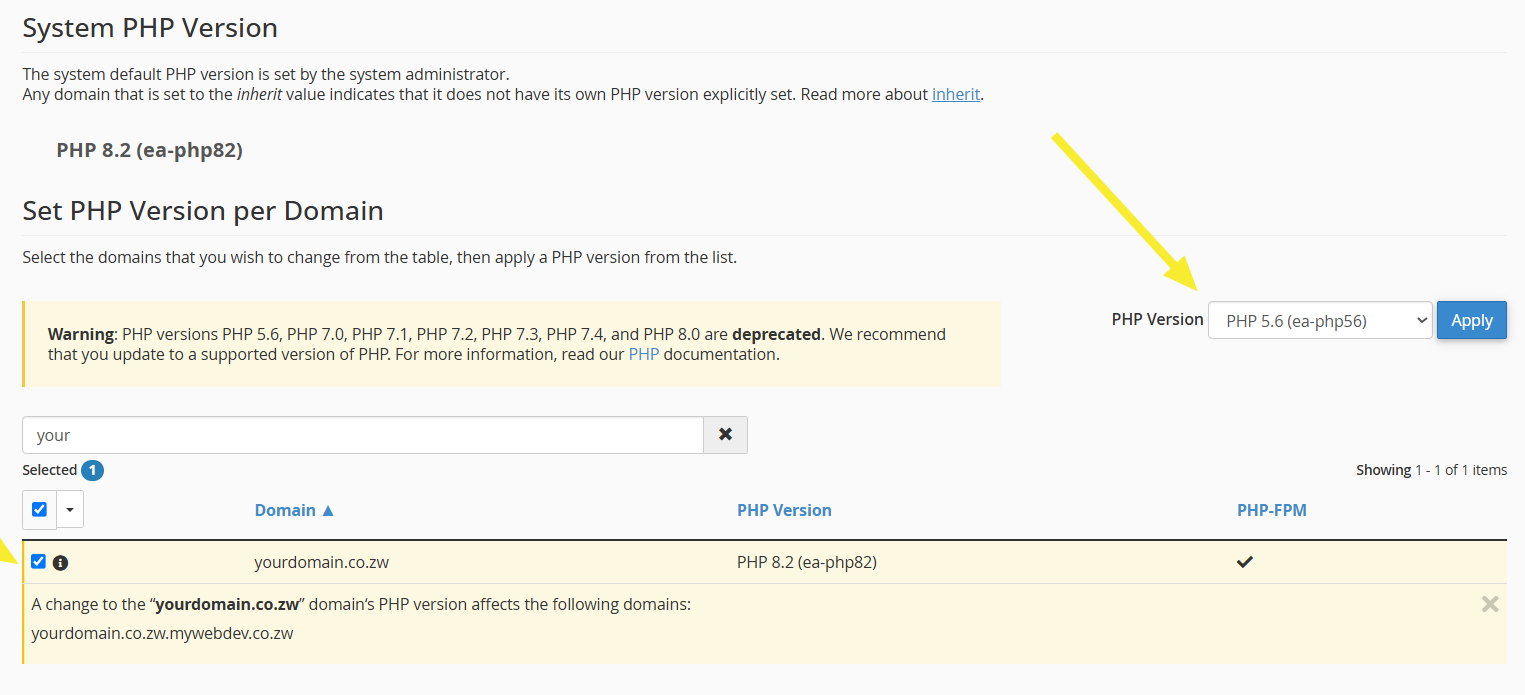
That's it! You'll now have configured your PHP.